Free desktop app · Windows & macOS

Convert any
flipbook to PDF
in seconds

Paste a URL, click Scan, save as PDF. Works with FlipHTML5, AnyFlip, Heyzine, FlippingBook, Flipsnack, PubHTML5 and more — no browser extension needed.

Free · No account required · v2.0.0
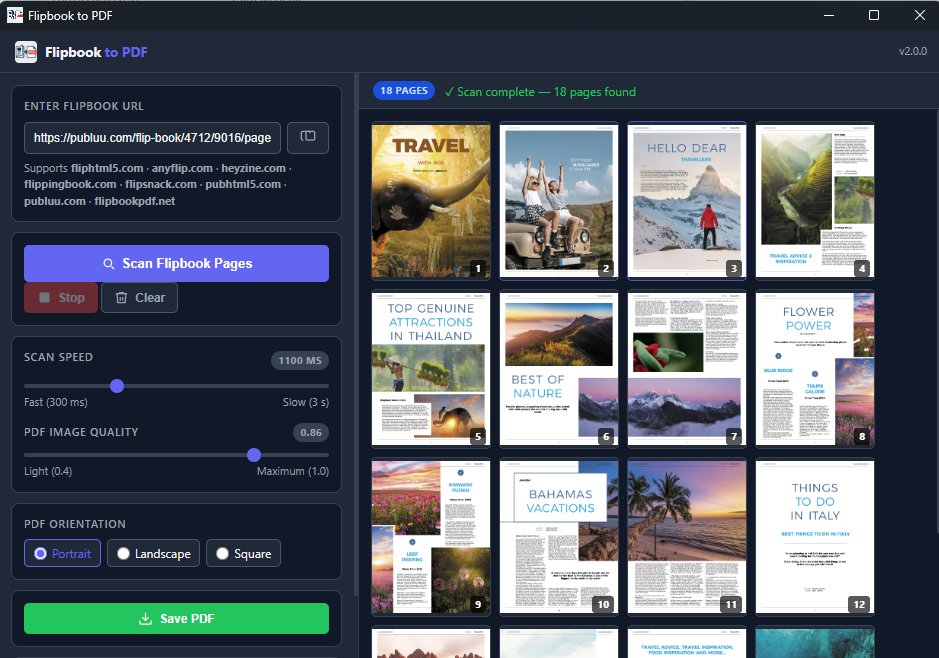
Flipbook to PDF — scan result showing 18 pages
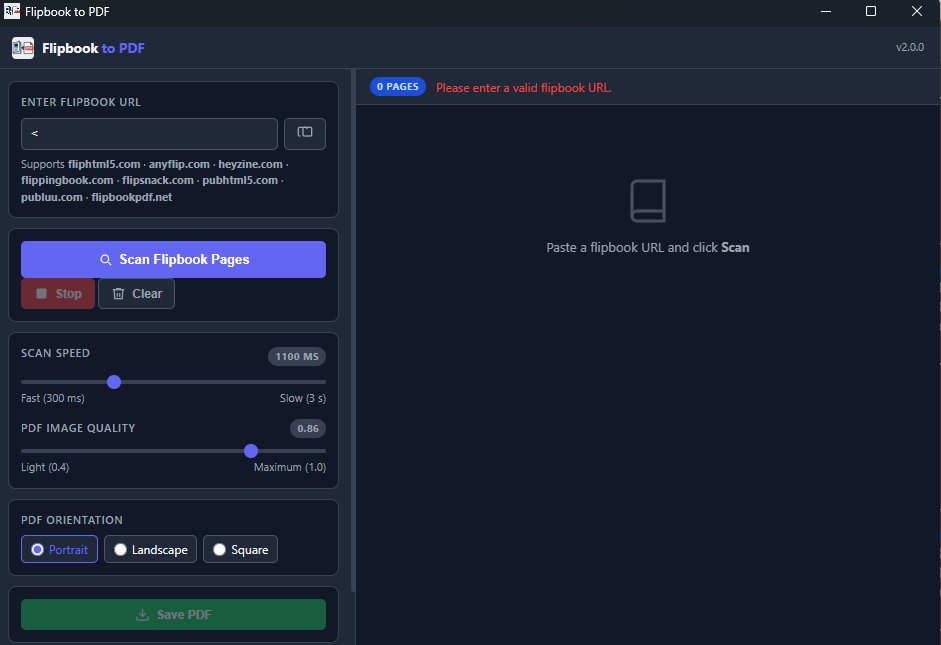
Flipbook to PDF — home screen

Supported flipbook platforms

FlipHTML5 · AnyFlip · Heyzine · FlippingBook · Flipsnack · PubHTML5 · Publuu · FlipbookPDF.net

Three steps,
done in under a minute

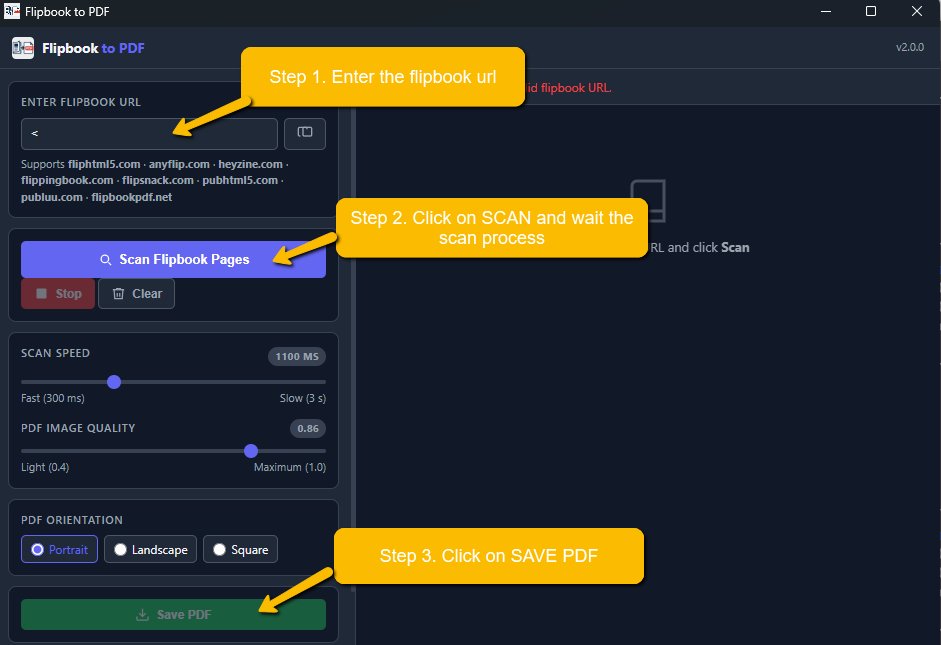
01

Paste the flipbook URL

Copy the URL of any online flipbook from your browser and paste it into the app. Supports all major flipbook platforms — no configuration needed.

02

Click Scan and watch it run

The app opens an invisible browser window, navigates through every page automatically, and collects all images in real time. Live thumbnails appear as each page is captured.

03

Save as PDF

Choose your PDF orientation and image quality, then click Save PDF. Pick your destination folder and your flipbook is saved as a standard, portable PDF file.

Flipbook to PDF — step by step guide

Everything you need
to save a flipbook

Automatic page scanning

The app navigates the flipbook automatically, page by page, and captures every image at full resolution. No manual interaction required.

Direct PDF download

For Heyzine flipbooks, the app detects and downloads the original PDF directly — maximum quality, zero scanning needed.

Live page preview

Each scanned page appears in real time as a thumbnail. See your progress and verify the output before saving.

Adjustable scan speed

Slide from 300ms (fast) to 3s (slow) to match the flipbook's loading time. Slower speeds improve accuracy on heavy publications.

PDF image quality control

Choose between light (0.4) and maximum (1.0) JPEG quality. Find the right balance between file size and visual fidelity.

Portrait, Landscape & Square

Pick the PDF page orientation that matches your flipbook format before saving. Works with A4 and square publications.

PRO licence

Unlock watermark-free output, unlimited pages, and priority support with a one-time PRO activation code.

Native Windows & macOS app

Built with Electron — a genuine desktop application, no browser extension, no cloud service. Your files never leave your computer.

Works with the most
popular flipbook services

FlipHTML5

Full page scan via div.side-image selector. Auto-redirect from fliphtml5.com to the online. viewer.

✓ Full support

AnyFlip

Same engine as FlipHTML5. Auto-redirect from anyflip.com to online.anyflip.com.

✓ Full support

Heyzine

Detects the original PDF directly from the page source and downloads it at full quality. No page-by-page scanning required.

✓ Direct PDF download

FlippingBook

Screenshot-based capture of each spread. Smart duplicate detection stops the scan automatically at the last page.

✓ Full support

Flipsnack

Auto-detects the embedded CDN viewer iframe and redirects the scan directly to the player URL for accurate capture.

✓ Full support

PubHTML5

Auto-redirect from pubhtml5.com to online.pubhtml5.com for the interactive viewer.

✓ Full support

Publuu

Generic multi-selector strategy with background-image CSS extraction and automatic Next button navigation.

~ Generic mode

FlipbookPDF.net & others

Any flipbook not listed above is handled by the universal scanner: extended CSS selectors, background-image support, Next button navigation.

~ Universal mode

Free to use,
PRO to unlock everything

Free

€0 forever
  • All flipbook platforms
  • Unlimited scans
  • Live page preview
  • Save PDF (Portrait / Landscape / Square)
  • Adjustable scan speed & quality
  • DEMO WATERMARK on every page
Download free
BEST VALUE

PRO

One-time unlock code
  • Everything in Free
  • No watermark on output PDF
  • Priority support
  • Unlimited conversions
Get PRO licence

Download Flipbook to PDF

Free. No account. No subscription. Install and go.

Version 2.0.0 · Free · Requires Windows 10+ or macOS 11+